Home / Security
Trust posture
The safe answer is to stay in control.
Agent Abilities for MCP runs an MCP server inside your own WordPress install, and it never asks you to trust that the agent behaves well. Nothing about your site leaves it: the plugin contacts no AI provider, sends no telemetry, checks every call against a real scoped user, and logs the result to your own database. Here is the security model, and a refusal you can watch happen.
Nothing leaves your site.
The plugin contacts no AI provider and no external service. Your AI client connects in; the plugin never reaches out. Zero telemetry.
Zero outbound calls
The plugin contacts no AI provider and no external service of its own. Your AI client connects in; the plugin never reaches out.
No telemetry
Nothing about your site, your content, or your usage is collected or sent anywhere. There is no analytics beacon to disable.
Standards in the path
Built on the WordPress 6.9 Abilities API and the official MCP Adapter (no custom transport), so there is no custom transport of ours to trust between your client and your site.
The direction matters: your client opens the connection to WordPress, not the other way around. The plugin is a governed door, not a phone line to a third party.
Watch it refuse.
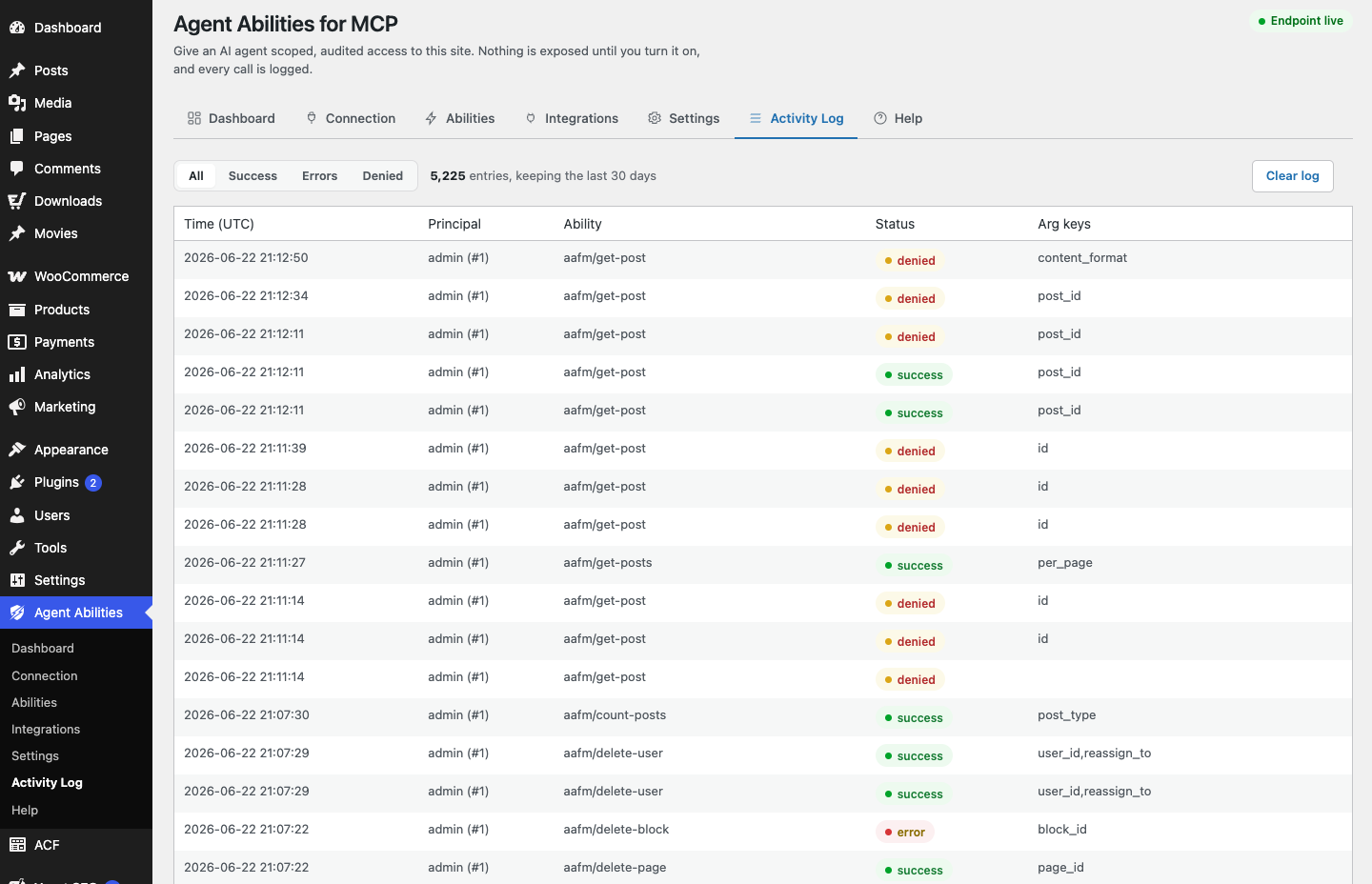
The strongest security claim is one you can see. The agent asks for the one thing the plugin will not do, and the refusal is written to the log like every other call.
An illustrative exchange. The request asks to delete the last administrator. The site refuses, and the refusal is logged, not just the successes.
Checked on every call, logged on every call.
Two mechanisms carry most of the weight: a capability check that runs before an ability executes, and a record that lands after it, denials included.
Two-layer capability gating
A connection only sees the tools its user can call, and every call re-checks that capability before it runs.
Discovery and execution are gated separately, so an agent never gets more reach than the user you bound it to, even if it asks directly.
Honest audit log
Every call is recorded, denied attempts included, with the principal, the argument keys, and a short note of what it touched: identifiers only, such as ids, slugs, and statuses, never free-text content like a post body or an email address. Since 1.5.0 it records governance as well as calls: every ability switched on or off and every setting changed, each row tagged with an event type and a detail line that names what it touched. It lives in your own database, filters by result, and exports to CSV.
Because it keeps the keys and identifiers but never free-text content, the log stays useful for review without becoming a second copy of your sensitive content.
The credential, and how to take it back.
How far each credential actually reaches, what an OAuth token does and does not bound, and how to cut an agent off for good. None of it flatters the plugin, which is why it is on this page and not left in a changelog.
An Application Password reaches further than this plugin can scope
An Application Password is a whole-site WordPress credential, bounded only by the role of the user it belongs to. This plugin cannot narrow it. So the IP allowlist, the high-risk lock, and the audit log govern the calls that arrive at this plugin’s MCP endpoint, and they do not follow that credential anywhere else in WordPress. Issue it on a dedicated low-privilege user and that user’s role becomes the real limit.
A token issued over OAuth does not carry that limit, because it only ever authenticates this one endpoint. It has a caveat of its own worth knowing: the scope a client asks for does not restrict the token it gets. The token takes the capabilities of the account that approved it, and every ability re-checks that capability before it runs.
Revoking an agent’s access
Uninstalling the plugin does not revoke an agent on its own. It removes the plugin’s settings and activity log, and its OAuth tables too if you turned on “Delete data on uninstall” first, but the dedicated agent user and any Application Password issued to it are ordinary WordPress account credentials and they survive. To actually cut an agent off, revoke its OAuth grant on the Connection tab, or delete its Application Password or its user account on the Users screen. You can do that before or after you remove the plugin.
Removing the plugin is housekeeping. Revoking the credential is the part that actually ends the connection, so do that first and uninstall afterwards.
Failed attempts count too: a failed Application Password attempt against the MCP endpoint is written to the activity log like anything else, and rate limited per source IP, so a credential-stuffing run cannot quietly grind at the endpoint or bury the log in noise.
Extra limits, when you want them.
On top of the model above, you can add opt-in guardrails. All of them are off until you set them, so they only ever tighten access, never widen it.
- Per-minute rate limitOff by default
- IP allowlistOff by default
- Force-to-draft modeOff by default
- Title-length capOff by default
- Block-markup validation (warn or strict)Off by default
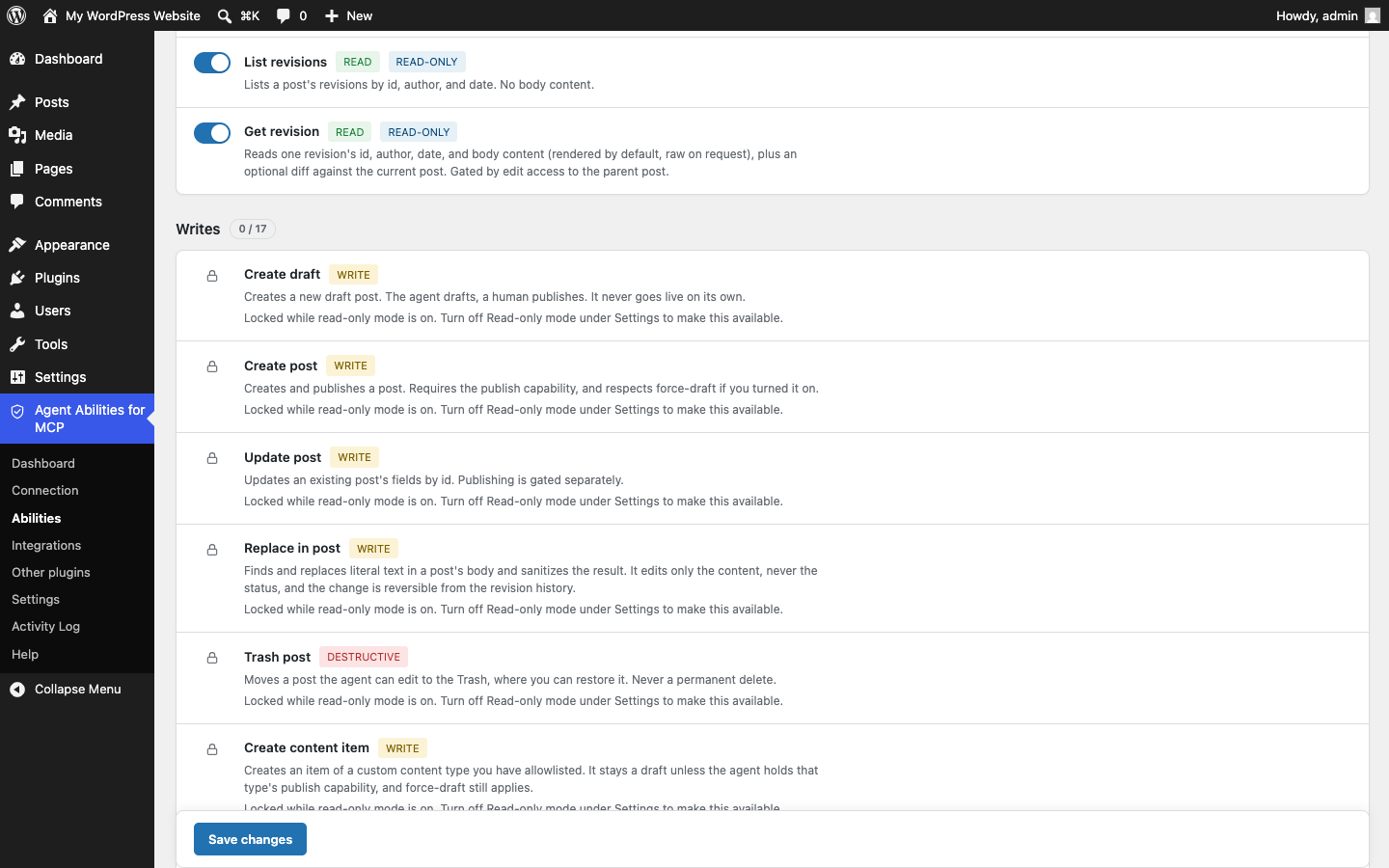
Read-only mode stops writes before they are offered
One switch on the Settings tab, and nothing that writes gets registered as an MCP tool, whatever you have ticked. A blocked write is missing from the agent’s tool list rather than refused when it calls. Abilities bridged from your other plugins are covered too, each judged by that plugin’s own annotation, and anything that declares neither way counts as a write and stays out.
Turning the mode on enables nothing by itself, and turning it off enables nothing either, so your selections are where you left them when you switch back. The switch is written to the audit log. New in 1.6.0.
High-risk WooCommerce abilities stay locked
Nine WooCommerce abilities move money or grant authority. Enabling one is not enough on its own: they stay locked until you also switch on a separate high-risk control in Settings, and that switch is itself written to the audit log. For a worked example, see a governed coupon workflow.
Covers refunds, order status, order updates, customer updates, payment gateway settings, coupon creation and updates, and tax rate creation and updates. New in 1.5.0.
Found something? Tell us privately.
Responsible disclosure keeps everyone safer. If you believe you have found a security issue, report it privately first so it can be fixed before it is public.
Report a vulnerability
Open a private security advisory on GitHub, or use the dedicated report page. Please do not open a public issue for a suspected vulnerability. Requires WordPress 6.9+ and PHP 7.4+.
Security you can watch, not just read about.
Install it, keep everything off, and turn on one ability at a time. Every call is scoped, every result is logged, and nothing leaves your site.
Free on WordPress.org. Public source. Nothing phoning home.